
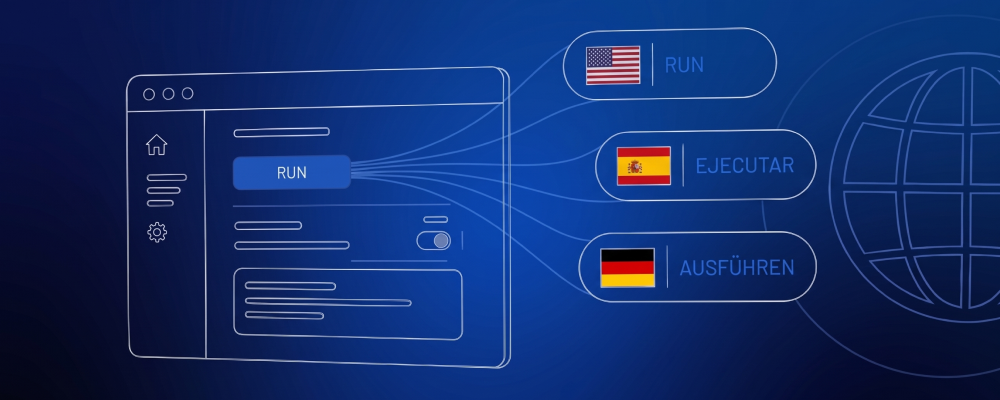
Designing GUI Software for Clear and Reliable Translation
TL;DR: Translation-ready GUI design requires more than extracting text strings. Giving translators the right context, such as where text appears, what it means and how much space it has, reduces ambiguity, rework and risk, particularly in safety-critical or regulated software.
Creating a software product incorporating a graphical user interface (GUI) involves careful planning and design in order to develop an interface that is intuitive, understandable, and clearly communicates intent. This is especially important when the software will be used in safety-critical systems. That means, the interface should not be an afterthought.
Support for multiple languages is among the many critical design considerations involved in achieving these goals. But supporting multiple languages involves more than simply translating UI text. The way an application is designed can have a significant impact on how accurately and efficiently that text can be translated and localized.
Certain information must be communicated to the translators. In regulated environments, where risks associated with poor design may be significantly greater, effective communication of this information is critical. Pre-determining what information the translators will need and how the information will be provided can help reduce costly cycles of translation, inspection and re-submission for further improvement – ultimately saving time and money during the development process.
Information a Translator Might Need
There are many types of information a translator might require in order to complete their task in a meaningful way, beginning with context. Context refers to the domain and manner in which the word or phrase is used. A word may be overloaded in one language, meaning it has multiple interpretations and can convey very different concepts depending on the context in which it is used.
Here’s an example:
The user is presented with text from the UI. That text includes the single word “Run.” Without any further information, how would that translate to another language? Now imagine the word “Run” appears multiple times, in different contexts.
For instance, in one context, “Run” may mean to start a process, as in “Run the test.” In another, it may refer to a period of operation, as in “The system completed a successful run.”
Does the translator need to translate the word differently? Do all usages mean the same thing? Without additional context, the translator would essentially have to guess.
To solve this issue, the translator needs to be supplied with context clues, such as:
- The software domain
- The software controls a treadmill
- This is a UI for a medical test device
- Screenshots showing the entire screen on which the text appears
- A running version of the software, or a simulator
- Comments
There are pros and cons to each of these examples. Software domain is a rough guide, but probably not sufficient. A running copy of the software would give maximum context, but may require the translator to understand how to use it. Plus, it creates a new problem of how to map each translatable string to where it appears on the UI.
Comments are very useful, but they place more of the burden on the developer, who must communicate concepts like size constraints of the translated text. In that, there is room for interpretation and error.
Choosing the Right Level of Support
Which approach to take? It depends on the cost of the translation cycles. When the cost is low, or the software is not complex, it might be enough to supply comments and screenshots. This is the common solution.
For a more substantial project, a custom solution may be warranted. One option for a high-cost, complex project would be to provide the translator with an interactive tool that shows each screen on the user interface without relying on knowledge of the workflow to navigate. For example, a flat list of interactive screens. Layout, context and size constraints then become obvious. The cost is engineering time.
A Practical Example Using Qt
The following is a minimal example of a commercially available solution that covers many of the common pain points. It uses Qt, a popular framework used to develop GUI-based applications.
For this example I’ll create a simple QML/C++ application. First, I’ll show the code and supporting files, and then I will describe how it works.
main.cpp#include <QGuiApplication>
#include <QQmlApplicationEngine>
#include <QTranslator>
int main(int argc, char *argv[])
{
QGuiApplication app(argc, argv);
QQmlApplicationEngine engine;
auto *translator = new QTranslator(&app);
auto loadLang = [translator](const QString &lang) {
QCoreApplication::removeTranslator(translator);
if (translator->load(QStringLiteral(":/qt/qml/TranslationExample/i18n/qml_") + lang))
QCoreApplication::installTranslator(translator);
};
QObject::connect(&engine, &QQmlApplicationEngine::uiLanguageChanged,
&app, [&engine, loadLang]() {
loadLang(engine.uiLanguage());
engine.retranslate();
});
QObject::connect(
&engine,
&QQmlApplicationEngine::objectCreationFailed,
&app,
[]() { QCoreApplication::exit(-1); },
Qt::QueuedConnection);
engine.loadFromModule("TranslationExample", "Main");
return QCoreApplication::exec();
}Main.qmlimport QtQuick
import QtQuick.Layouts
import QtQuick.Controls
Window {
width: 320
height: 240
visible: true
title: qsTr("Hello World")
color: 'gray'
ColumnLayout {
anchors.centerIn: parent
spacing: 20
ComboBox {
model: ["en_US", "es_ES", "de_DE"]
onActivated: (index) => {
Qt.uiLanguage = model[index]
var topRowComponent = topRow.sourceComponent
topRow.sourceComponent = null
topRow.sourceComponent = topRowComponent
var bottomRowComponent = bottomRow.sourceComponent
bottomRow.sourceComponent = null
bottomRow.sourceComponent = bottomRowComponent
}
}
Loader {
id: topRow
Layout.fillWidth: true
sourceComponent: rowComponent
onStatusChanged: {
if (topRow.status === Loader.Ready) {
topRow.item.text1 = qsTr("First", "topRow");
topRow.item.text2 = qsTr("Third")
topRow.item.text3 = qsTr("Second")
}
}
}
Loader {
id: bottomRow
Layout.fillWidth: true
sourceComponent: rowComponent
onStatusChanged: {
if (bottomRow.status === Loader.Ready) {
bottomRow.item.text1 = qsTr("First")
bottomRow.item.text2 = qsTr("Third")
bottomRow.item.text3 = qsTr("Second", "bottomRow")
}
}
}
}
Component {
id: rowComponent
RowLayout {
Layout.fillWidth: true
width: parent.width
spacing: 20
property alias text1: button1.text
property alias text2: button2.text
property alias text3: button3.text
Button {
id: button1
}
Button {
id: button2
}
Button {
id: button3
}
}
}
}qml_es_ES.ts<?xml version="1.0" encoding="utf-8"?>
<!DOCTYPE TS>
<TS version="2.1" language="es_ES" sourcelanguage="en">
<context>
<name>Main</name>
<message>
<source>Hello World</source>
<translation>Hola mundo</translation>
</message>
<message>
<source>First</source>
<comment>topRow</comment>
<translation>Primero</translation>
</message>
<message>
<source>Third</source>
<translation>Tercero</translation>
</message>
<message>
<source>Second</source>
<translation>Segundo</translation>
</message>
<message>
<source>First</source>
<translation>Primera</translation>
</message>
<message>
<source>Second</source>
<comment>bottomRow</comment>
<translation>Segunda</translation>
</message>
</context>
</TS>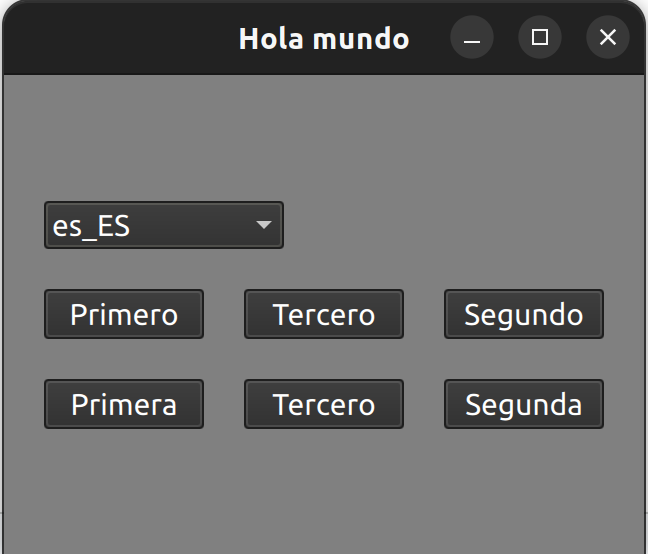
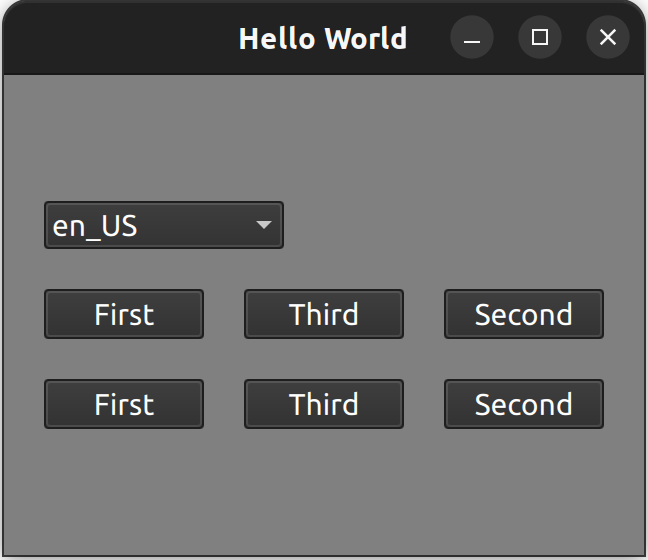
The button captions are intentionally out of order to draw attention. “Third” has only one translation. Read further to find out why.
In the example above, we have a C++/QML application that supports three languages: English, Spanish and German. The qml_es_ES.ts file is Qt’s XML formatted file that is generated through the build system (CMake). The generation process looks for developer-placed translation markers in the QML source code.
If you look at the example .qml file, you can see them as qsTr(...). These markers denote which strings should be included for translation. The resulting .ts file can then be directly edited, but often a translator will view and modify them using a Qt provided GUI-based tool named Linguist.
You can see some of the markers contain two arguments. The first is the text that is marked for translation. The second is what is known as a disambiguator. The disambiguator argument is one way (there are several) in Qt to communicate context to a translator. It is a signal to the translator that the text has different meaning, and must be translated separately. The disambiguator is injected into the .ts file as a <comment> tag.
In the example, the comment is “bottomRow”, but you can use any text content you want. You may have noticed there are two entries for the text “Second” and “First”, but only one “Third” in the file. Qt attempts to be efficient with the translation file. When there is no disambiguator, the entries are consolidated into a single .ts file entry.
Early Planning is Essential
Providing translators with enough context is an important part of building a clear, reliable multilingual interface. Qt’s translation tools and disambiguators offer a practical way to distinguish identical strings that have different meanings or uses within an application.
The takeaway is this: planning for translation context early helps reduce ambiguity, avoid expensive rework, and ensure the finished UI communicates clearly in every supported language.