

Qt’s New Agent Skills in Action with Claude Code (Part 1)
TL;DR: Claude Code is already a capable coding assistant, but Qt's new Agent Skills make it significantly smarter about Qt development. This blog post demonstrates how the skills improve documentation, code reviews and QML generation with practical examples.
This year, I’ve been diving into Anthropic’s Claude Code and I’m amazed at how capable it is at both understanding existing code and writing new code. Being a Qt application developer, when I heard some new Qt skills were released to augment the out-of-the-box Claude Code experience, of course I had to take them for a spin.
Skills (which deprecate custom commands) in Claude Code are prepackaged functionality that can be invoked at any time (either by the user via slash commands or automatically). This first incarnation of Qt agent skills comes in three categories: documentation, review, and QML coding. Both the documentation and review skills come in two flavors (QML and C++) making a total of five.
| Slash Command | Skill Description |
| /qt-cpp-docs | Generates one .md (Markdown) file per .cpp/.h file pair |
| /qt-qml-docs | Generates one .md (Markdown) file per .qml file |
| /qt-cpp-review | Runs static analysis (linter) on one or more .cpp/.h file pairs |
| /qt-qml-review | Runs static analysis (linter) on one or more .qml files |
| /qt-qml | Improves the way QML code is generated |
Installation
Installing the Qt agent skills into Claude Code is a breeze since they’re already in the plugin marketplace. A call to /plugins followed by /reload-plugins does the trick. The plugin is called qt-development-skills.
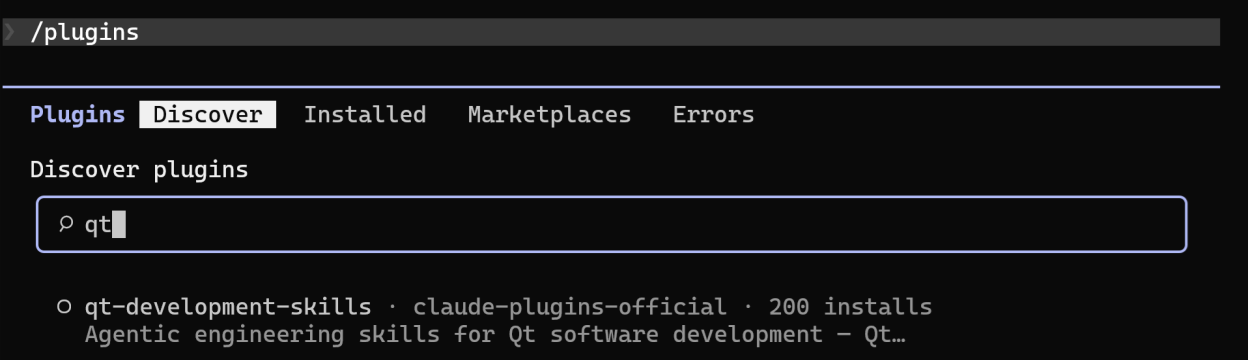
If you type /qt at the prompt, Claude Code should show the available slash commands.
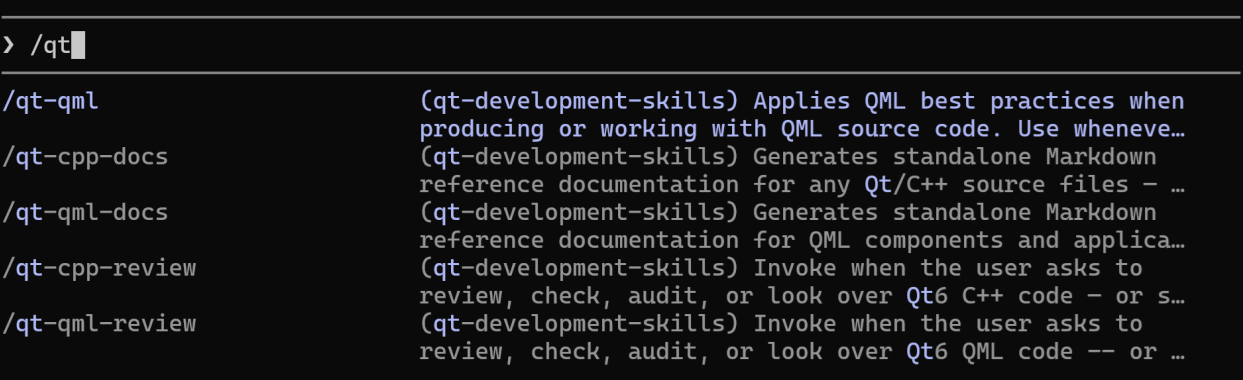
If instead you get No commands match “/qt” you probably forgot to run /reload-plugins.

Invoking the Skills
There are two ways to invoke the skills:
1. The first way is to manually call the skill’s slash command from the Claude Code prompt. For example, to invoke the QML coding skill, type /qt-qml.

Calling the slash command is probably the best way to invoke a skill because it is deterministic i.e. guaranteed to load the skill’s SKILL.md into context.
2. The other way is to let Claude automatically load the skill when it thinks it’s necessary. The problem with this approach is that the skill may or may not load; however, this nondeterministic behavior can be overcome by adding a line to CLAUDE.md such as
invoke /qt-qml before any .qml file is written to Whichever method you choose, Claude Code will print Successfully loaded skill to let you know that that the skill was indeed loaded into context, for example:

Documentation Skills
Both the /qt-cpp-docs and /qt-qml-docs skills can either be run on a single source file (by supplying an argument)

or on all source files in the project (with no arguments).

In either case, the skill should create a doc folder (if it doesn’t already exist) and populate it with one .md file corresponding to each source file. The skill does not modify the source code at all (as would be the case when using Doxygen).
This is what the top of an output .md file looks like in Chrome with the Markdown Reader extension.
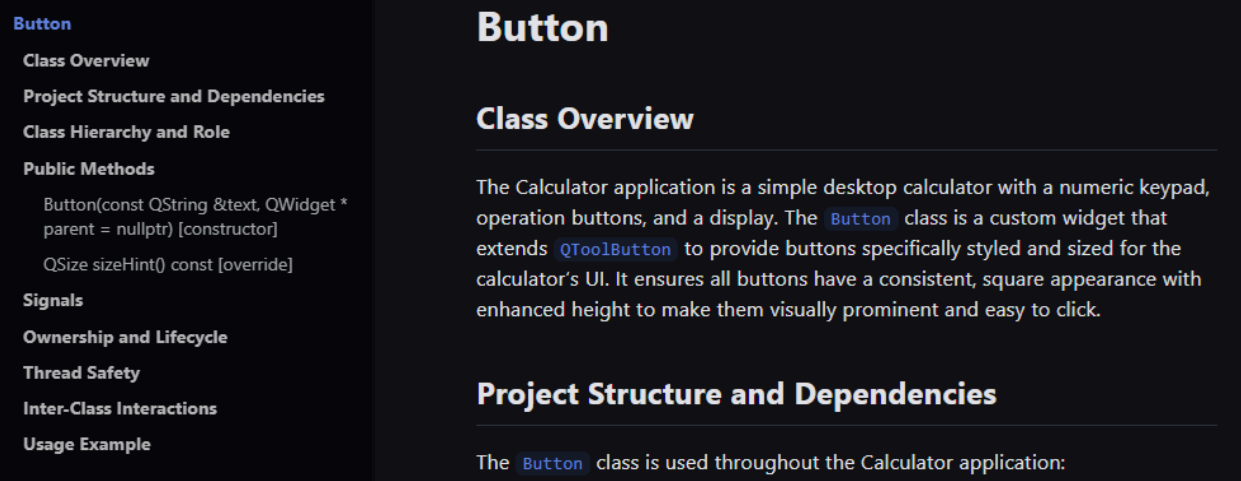
According to SKILL.md, the documentation skills are “developer-friendly” i.e. intended for humans to read; however, one could feed the output .md files to Claude Code as well for additional context.
If you were to ask Claude Code to document a file without Qt agent skills, it will simply add // comments to the source files. I suspect .md files were chosen to keep documentation separate from source code.
Review Skills
Both the /qt-cpp-review and /qt-qml-review skills require Python to be installed.
Like the documentation skills, the review skills can either be run on a single source file (by supplying an argument)

or on all source files in the project (with no arguments).

The output is a list of recommendations. Below is an example recommendation denoted L-001.
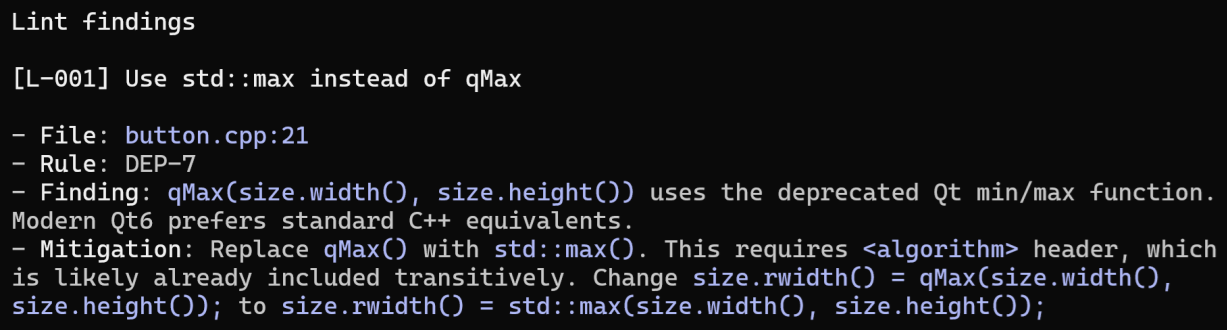
Since Claude Code can write to files, you can take it a step further and apply all the recommendations,

just one,

or a subset specified as a list.

Under the hood, the review skills first run a quick deterministic Python script followed by a more lengthy deep analysis consisting of six subagents, the list of which depends on whether we’re reviewing C++ or QML.
| C++ Subagent | QML Subagent |
| Model Contracts | Bindings & Properties |
| Ownership & Lifecycle | Layout & Anchoring |
| Thread Safety | Component Loading & Lifecycle |
| API, Naming & C++ Correctness | ListView & Delegate Correctness |
| Error Handling & Validation | States, Transitions & Structure |
| Performance & Code Quality | Performance & Code Quality |
For the details of what each subagent checks, please see SKILL.md for C++ or QML.
QML Coding Skill
The /qt-qml skill improves the QML code that Claude Code generates.
To be sure the improvements will be made, explicitly invoke the skill.

Below is a list of the improvements provided by the skill.
| Category | Description |
| Imports | version-free imports (Qt 6), style-specific control imports, unnecessary import removal |
| Controls1 | prefer Qt Quick Controls over building equivalent UI controls from atomic primitives |
| Component loading | use Loader for conditional UI |
| Property bindings | declarative over imperative, circular dependency prevention, binding preservation |
| Layouts | anchors vs Layout.* conflicts, sizing discipline inside layouts, positioner selection |
| ListView and delegates | required property for roles, delegate reuse, state management |
| State management | states/PropertyChanges patterns, targeted transitions |
| Animations2 | off-screen pausing, Animator types, Behavior pitfalls |
| Images | sourceSize, async loading, error handling |
| Accessibility | roles, names, keyboard navigation |
| Singletons | pragma Singleton + qmldir requirements |
| Internationalization3 | qsTr() wrapping, placeholder conventions |
| Performance4 | clipping, opacity, Canvas avoidance, shader and particle management |
To prove that the /qt-qml skill is actually doing its job, I asked Claude Code to generate four QML components, each targeting one of the improvements (indicated by superscripts) in the table above. I did this both with and without the /qt-qml skill loaded into context and manually compared the output QML. Standard diff tools cannot be used because code generation is nondeterministic i.e. issuing the same prompt twice will generate different code. Below are the four examples:
Example 1. Controls: Prefer Qt Quick Controls over primitives
Issuing the following prompt

should generate a file called Button.qml which renders as follows.

With /qt-qml QtQuick.Controls is imported and the component derives from Button.
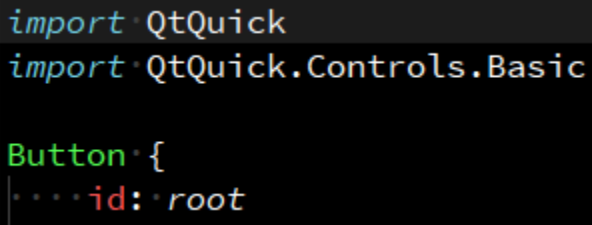
Without /qt-qml the component derives from Item (a QML primitive).
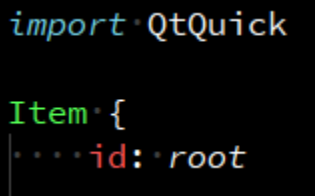
QtQuick controls are typically more optimized than an implementation using primitives such as Item and Rectangle.
Example 2. Animations: off-screen pausing
Issuing the following prompt

should generate a file called PulsingRectangle.qml which renders as follows (but animated).

With /qt-qml the line running: root.visible stops the animation when the component is not shown on screen.
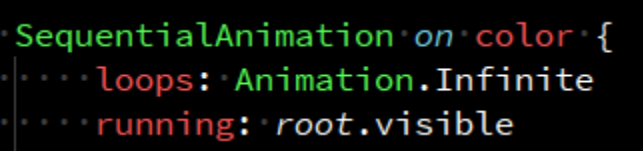
Without /qt-qml the running property is bound to a root property which does not guarantee stopping the animation when invisible.
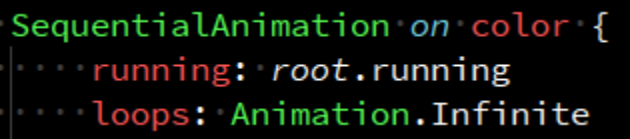
Binding running to root.visible saves valuable CPU cycles by only running the animation when the component is visible.
Example 3. Internationalization: qsTr() wrapping
Issuing the following prompt

should generate a file called Hello.qml which renders as follows.

With /qt-qml the string is wrapped in qsTr() for language translation.

Without /qt-qml the string is not wrapped in qsTr().
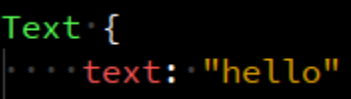
If Claude Code were to generate a lot of QML without wrapping strings in qsTr(), it would take extra effort to get them all wrapped.
Example 4. Performance: Canvas avoidance
Issuing the following prompt

should generate a file called AnalogClock.qml which renders as follows.

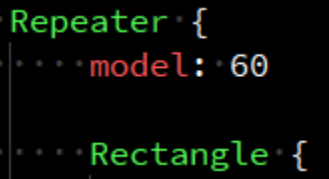
With /qt-qml the tick marks are rendered with a Rectangle in a Repeater.
Without /qt-qml the tick marks are rendered in a Canvas.
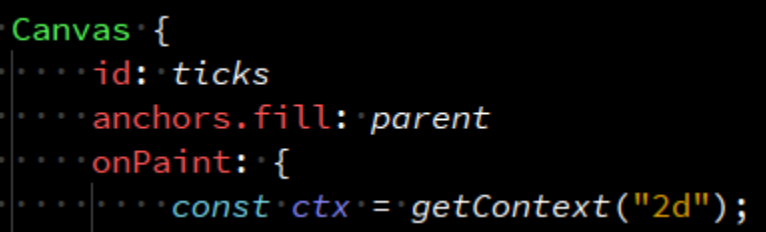
Using primitives like Rectangle (when possible) will usually perform better than Canvas, which runs imperative JavaScript each time it needs to paint.
Conclusion
Qt’s new agent skills are a great example of how domain-specific expertise can make AI coding tools even more effective. While Claude Code is already impressive on its own, these skills help it better understand Qt best practices, generate higher-quality QML, provide more relevant code reviews, and produce useful documentation with less prompting.
If you’re already using Claude Code for Qt development, these skills are worth adding to your workflow. You’ll get higher-quality QML by default, faster reviews that catch real issues, and documentation that actually reflects how your codebase works all without having to steer the model at every step.
If AI-assisted software development is on your mind, I invite you to read our technical series How to Make AI Code Your Way. Start here: Part 1: Teach Claude Code Your Project-Specific Skills.