
Creating QML Controls From Scratch: CheckBox and RadioButton
Continuing our QML Controls from Scratch series, this time we'll implement a CheckBox.
Connecting tech leaders with insight to move the needle, and developers and designers with inspiration to build really cool touchscreen-driven stuff people will love.
Continuing our QML Controls from Scratch series, this time we'll implement a CheckBox.
We've shown you how to set up Qt and Qt Creator on Windows and Linux systems. Here's a look at installation on macOS.

In this first installment of the QML Controls From Scratch series we'll create our first control: Button.

Want to create a widget with a Qt Designer plugin interface so it can be viewed within Qt Designer? Check out this walk through.

Here's how to configure a Linux system for Qt desktop development, including easy-to-follow instructions.

If you struggle with initially getting Qt set up for development with the Qt Creator IDE and a C++ compiler, check out our step-by-step instructions.

While Yocto is complex, it's easy to get started. You don't even need embedded hardware. Here's how to get going.

If you're attending the 2016 Qt World Summit in San Francisco, check out ICS' tactical training courses on October 18.

In QML, I have a Text item with wrapMode: Text.Wrap but the text isn't wrapping. What am I doing wrong?

More of your Qt Questions answered in Part 5 of our QA series.

Ask your Qt Questions for Part 5 Q&A.

In this blog, we're going to cover how to write a program to actually render these models.

In the case of designing an application for an embedded platform instead of desktop, are there any differences in the approach?

Questions and Answers from Qt for Beginners Part 1 - Overview and Key Concepts

In this blog post, we'll look at how the new features of Qt in version 5.6.0.

Questions and Answers from Qt for Beginners Part 1 - Overview and Key Concepts

We came up with an interesting architecture that addresses many of the vexing issues with existing IVI solutions.

Integrated Computer Solutions. Be Open (Source) to new testing tools...see how useful Oprofile can be! Check this blog out!

Qt Tips and Tricks - Part I: Learn more about the lesser known tips within Qt that can make a big difference using Qt.

Qt provides a nice facility to handle this in a more elegant way: file selectors. In this blog post. I'll look at what Qt provides, for both C++ and QML, and show a simple but complete program example.

In this blog post, the last in the series, I'll cover the remaining Qt command line tools as there are only a few programs we have not already discussed.

Automakers have long strived to make their in-car experiences unique and distinctive: not just in an effort to distinguish themselves from their co

In this blog post, we will show an example of how to support dynamic language selection in an application using Qt.

A recent project related to the Internet of Things gave us a chance to highlight some of ICS' capabilities.
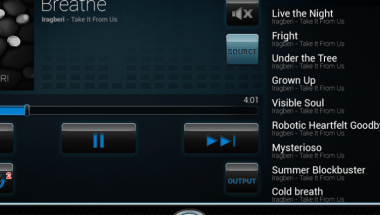
Demand for connected devices in automobiles is accelerating as mobile ecosystems are maturing.
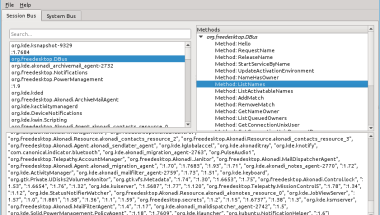
Continuing with our series of blog posts on some of the lesser known Qt commands, this time we will look at some tools related to Qt and D-Bus.

Every Qt developer should be familiar with the common tools like qmake, Qt Designer and Assistant, but looking in your Qt installation's bin directory will reveal a few more programs there. In this and future blogs, we'll look at some of the lesser known Qt development tools.
Using Google Analytics to Monitor Qt Applications